Your clipboard, but better

Clipboard monitoring, custom boards, OCR, AI processing, screenshots, transcription, and hot links.

Built for developers, writers, and anyone who copies too much.

Available for macOS, Windows, and Linux. Sponsor on GitHub for source code access.


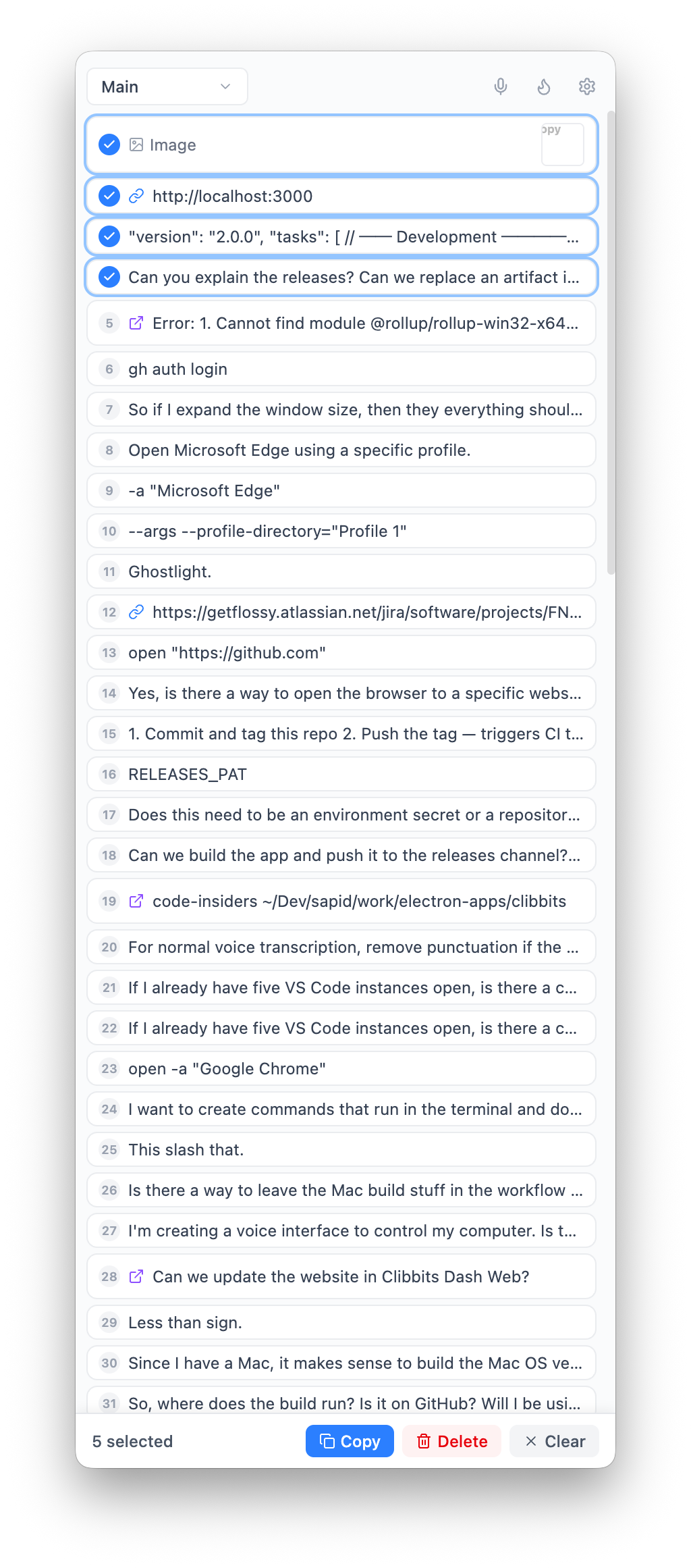
Automatic clipboard history — never lose a copy again.

Every text snippet and image you copy is saved instantly. No manual action required. Clibbits polls your clipboard every 500ms, deduplicates entries, and persists everything to disk.

works locally
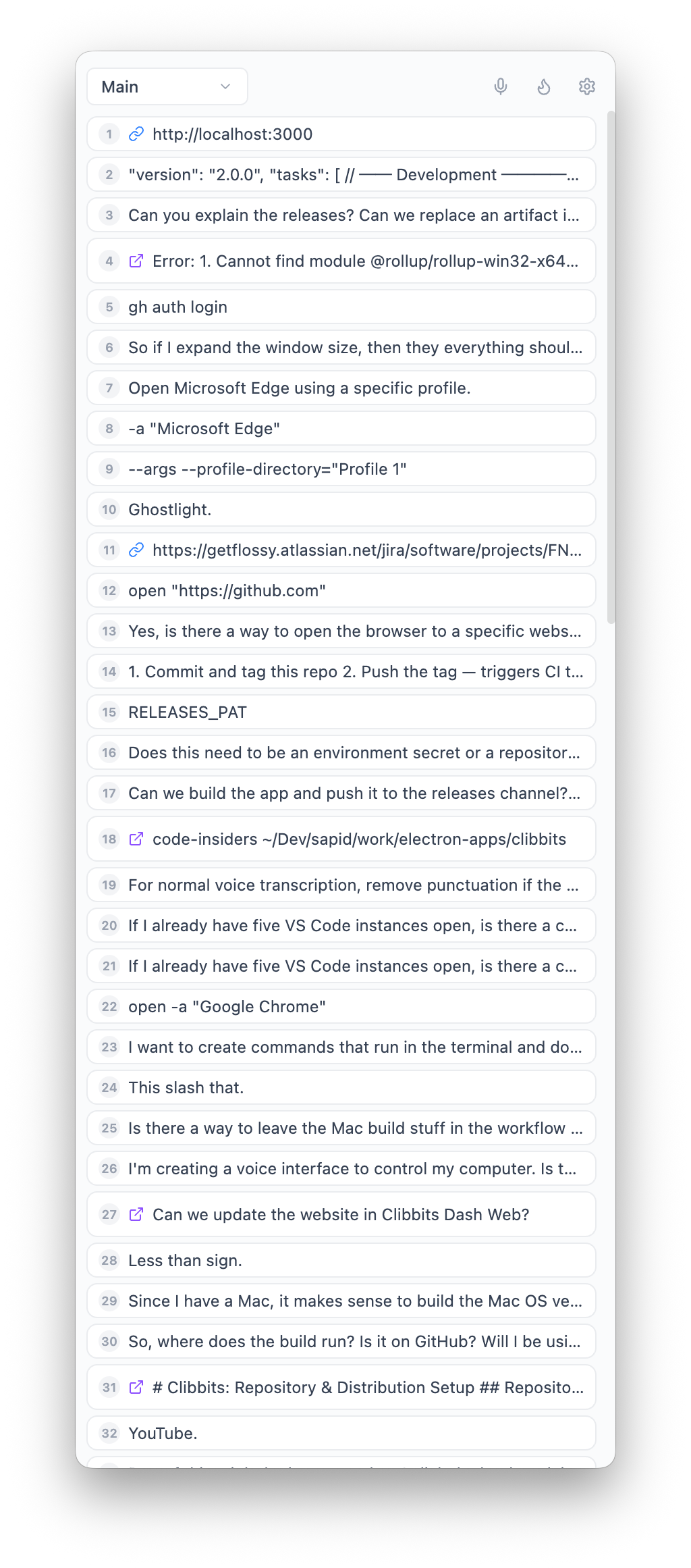
Clipboard history showing saved text snippets and images

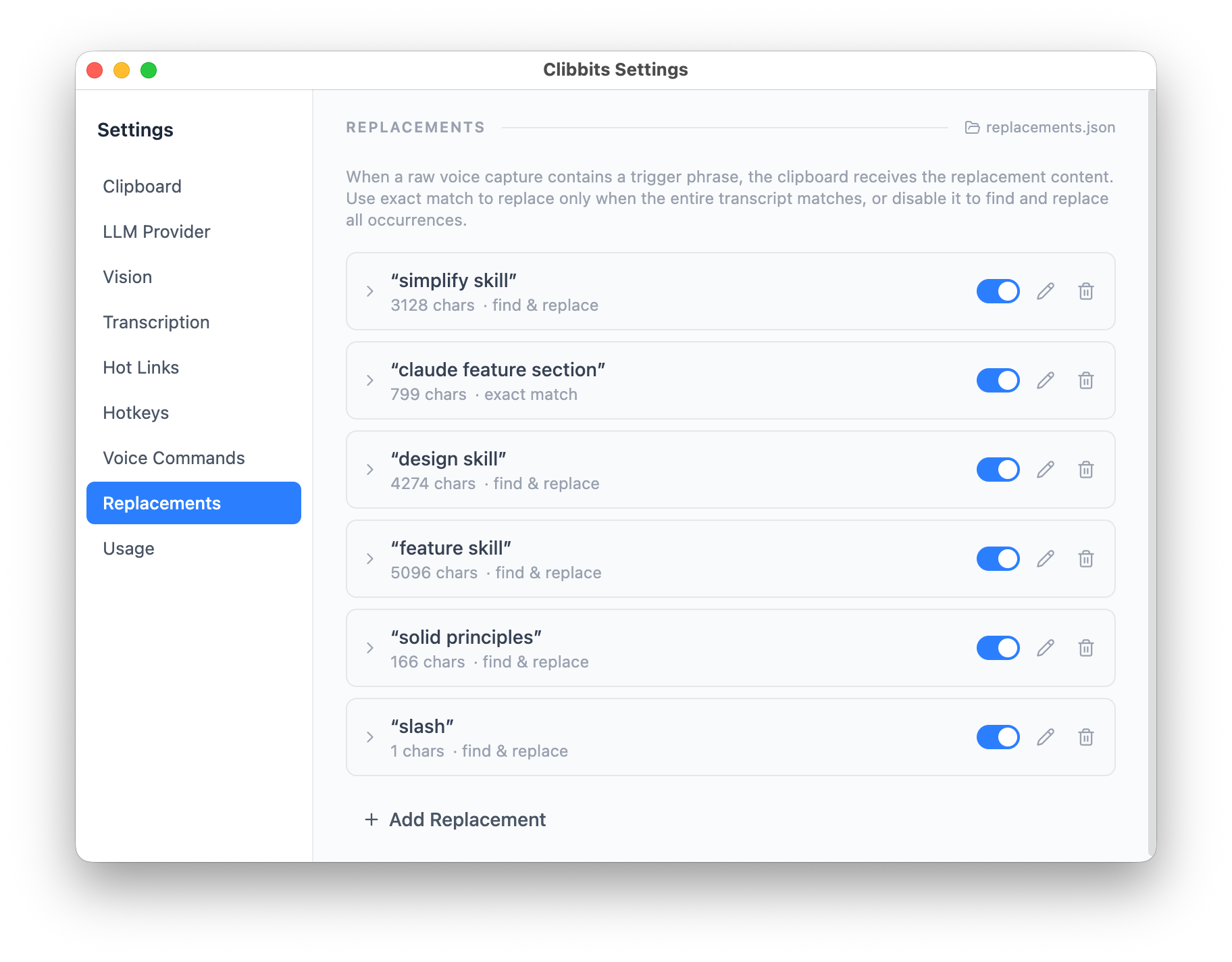
Replacements — speak a phrase, paste a template.

Define trigger phrases that expand into full text when you use voice capture. Say “design system” and get your entire style guide in the clipboard. Supports exact and partial matching, so a short phrase can insert boilerplate, code snippets, or whole Markdown documents.

works locally
Replacements settings showing trigger phrases and expanded content

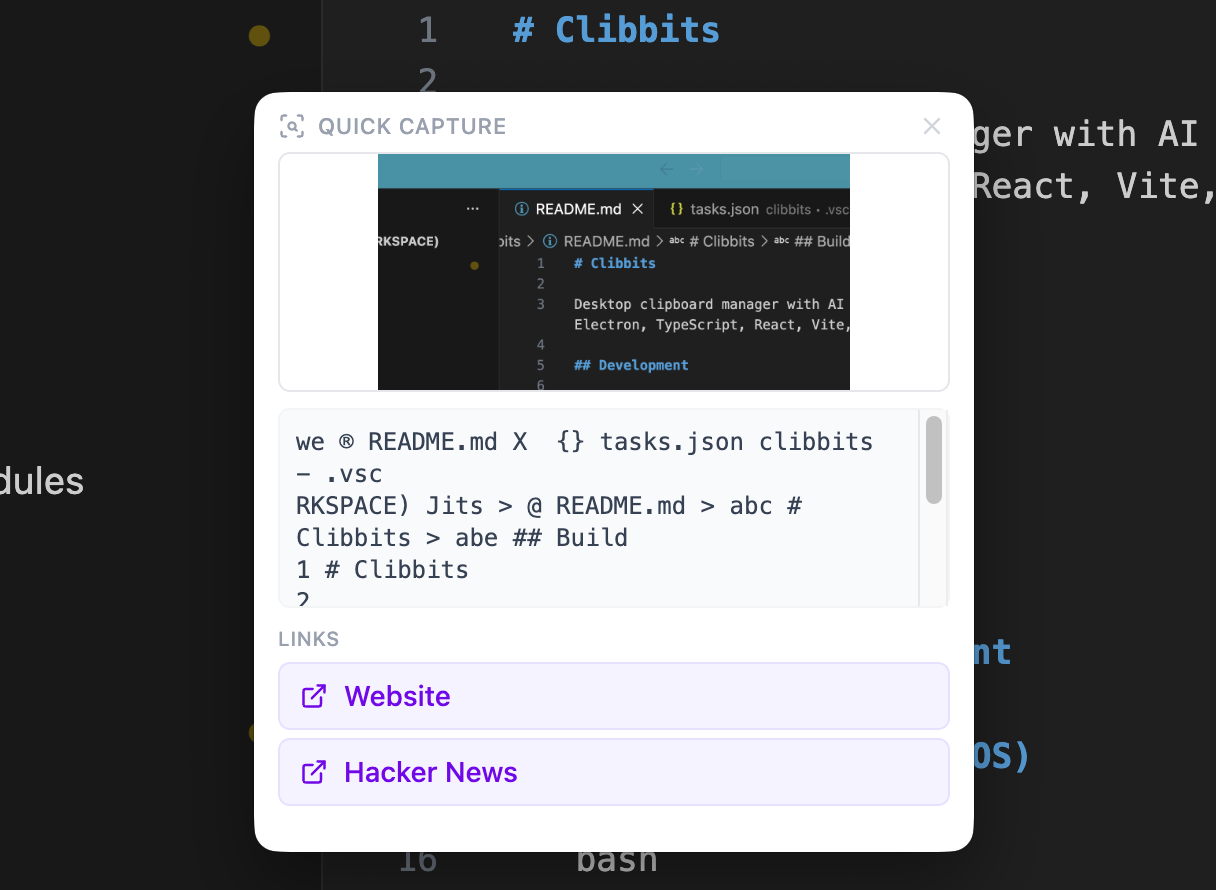
OCR built in — copy text from any image.

Paste a screenshot containing text and Clibbits extracts it with Tesseract.js. Error messages from terminal screenshots, text in design mockups, code from conference slides — all become searchable, copyable text.

works locally
OCR extracting text from a screenshot

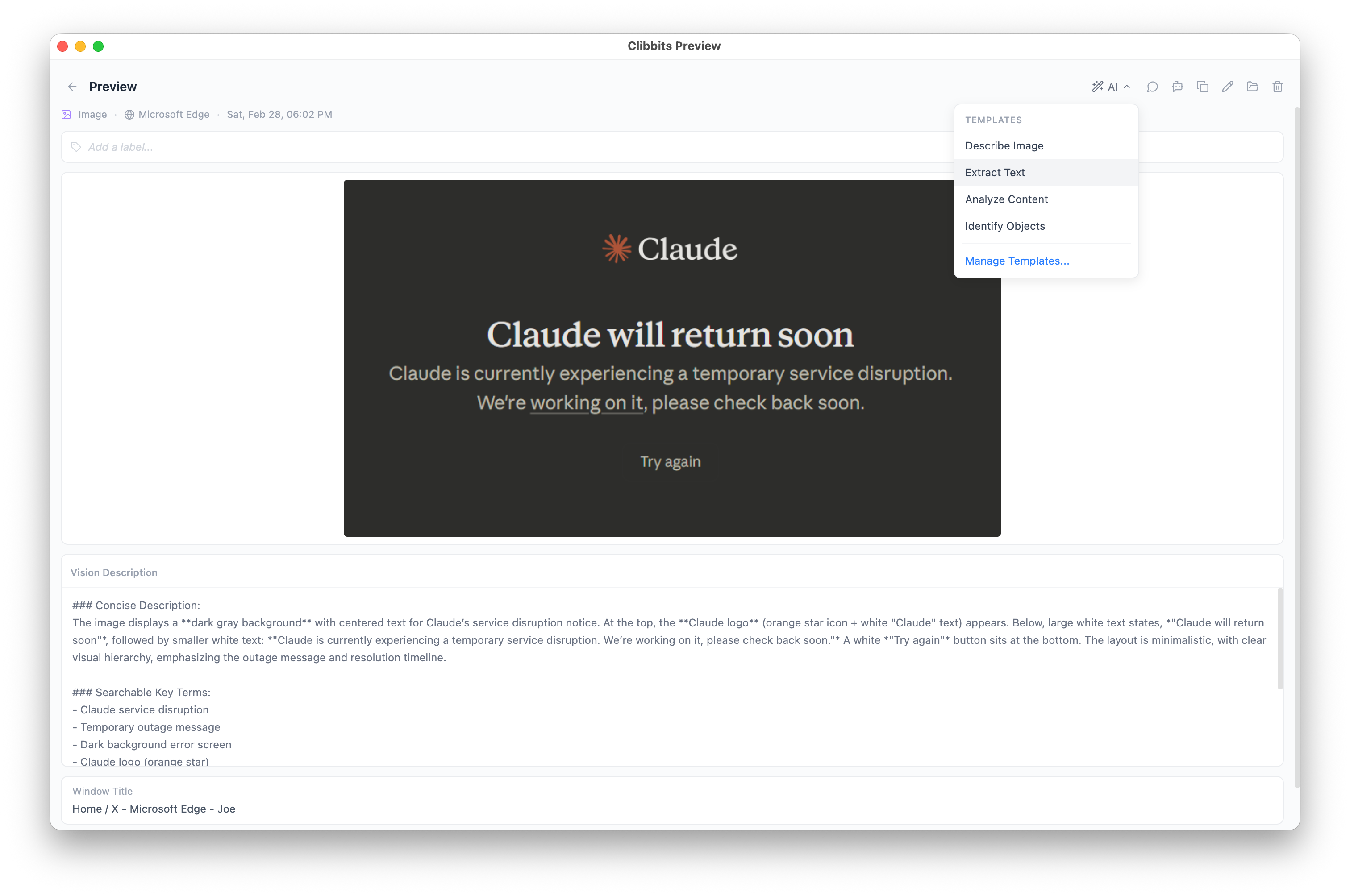
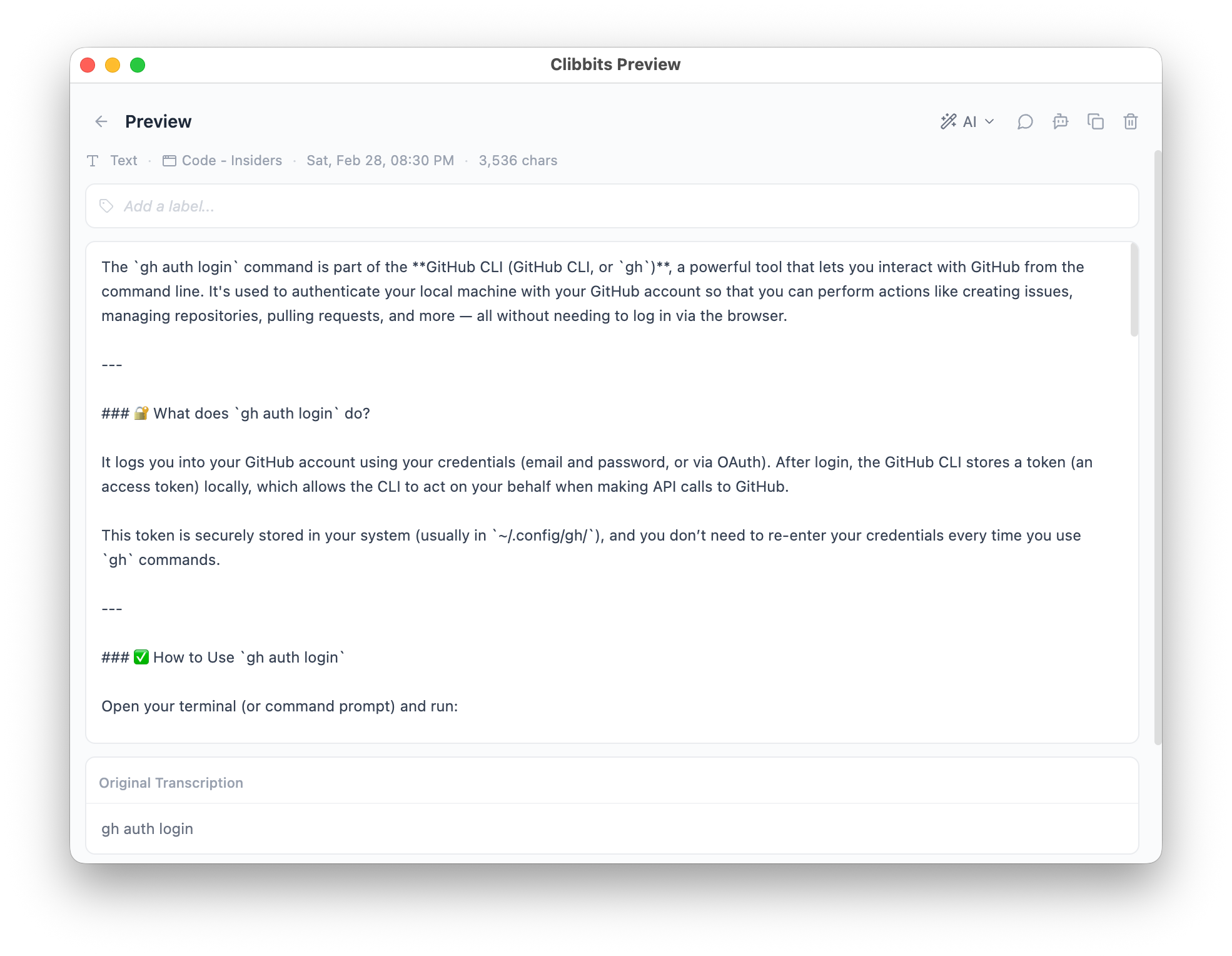
AI text processing — transform clipboard content on the fly.

Send any clipboard entry through your configured LLM with custom prompt templates. Summarize long text, translate, extract key points, rewrite for tone, or run any prompt you define. Results land right back in your clipboard.

requires internet
AI processing transforming clipboard text with a prompt

Hot Links — clipboard text becomes clickable.

Define regex patterns that match clipboard content and generate URLs. Copy a Jira ticket ID and get a clickable link. Copy a commit hash and open it on GitHub. Patterns use capture groups so you wire them up once and they just work.

See the dedicated Hot Links page with setup examples.

works locally
Hot links turning clipboard text into clickable URLs

Context stacking — bundle multiple items into one paste.

Add clipboard entries and transcription snippets to a stack. When you're ready, paste the entire stack as a single block of context. Great for feeding multiple pieces of information into an AI chat or a bug report.

works locally
Context stacking combining multiple clipboard items into one paste

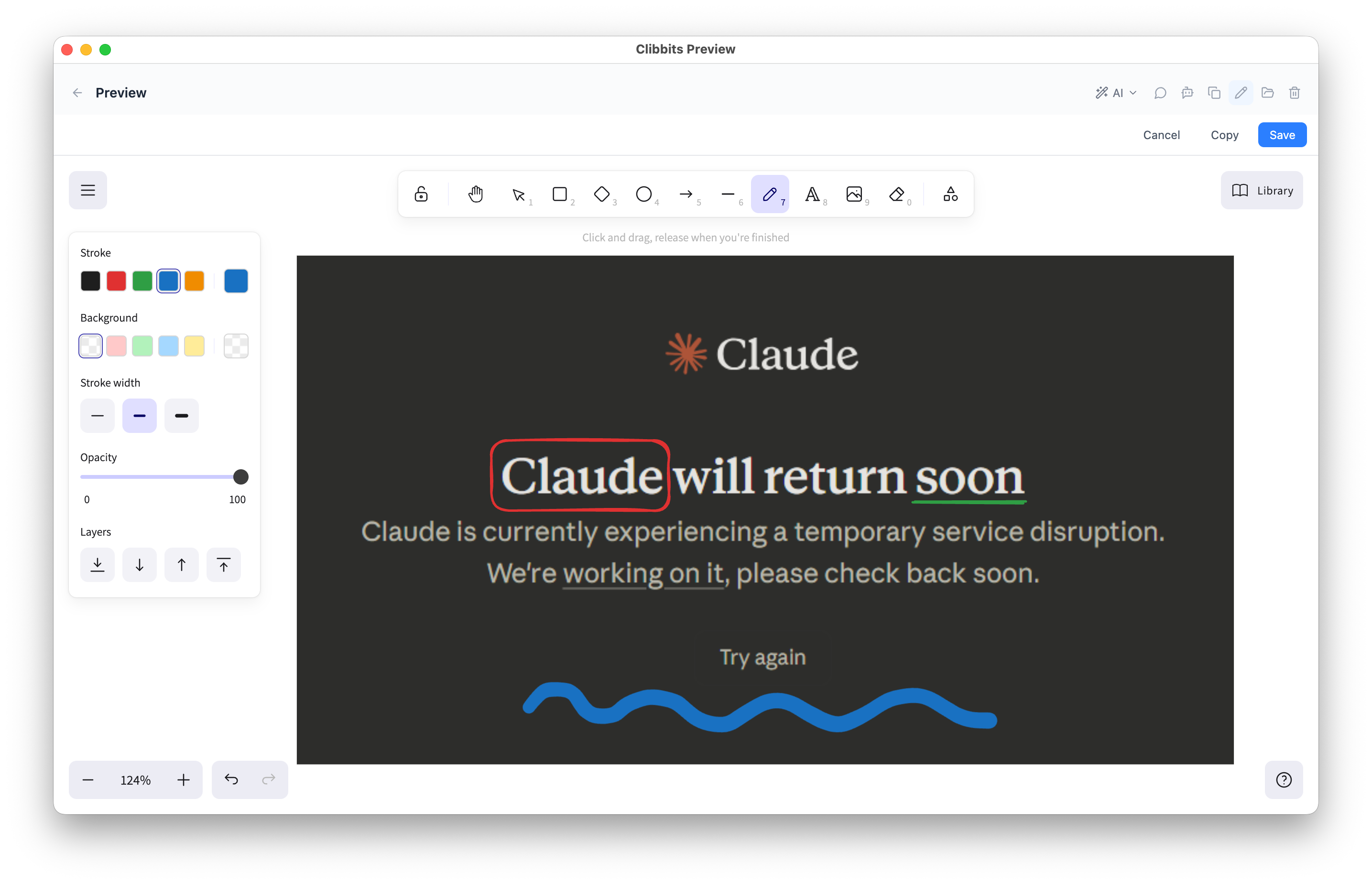
Screenshot capture and annotation.

Capture your screen, draw on the result, and paste it. Circle the bug, arrow to the button that's wrong, scribble a quick wireframe. No export step, no separate app — it's already in your clipboard.

works locally
Screenshot capture with annotation tools

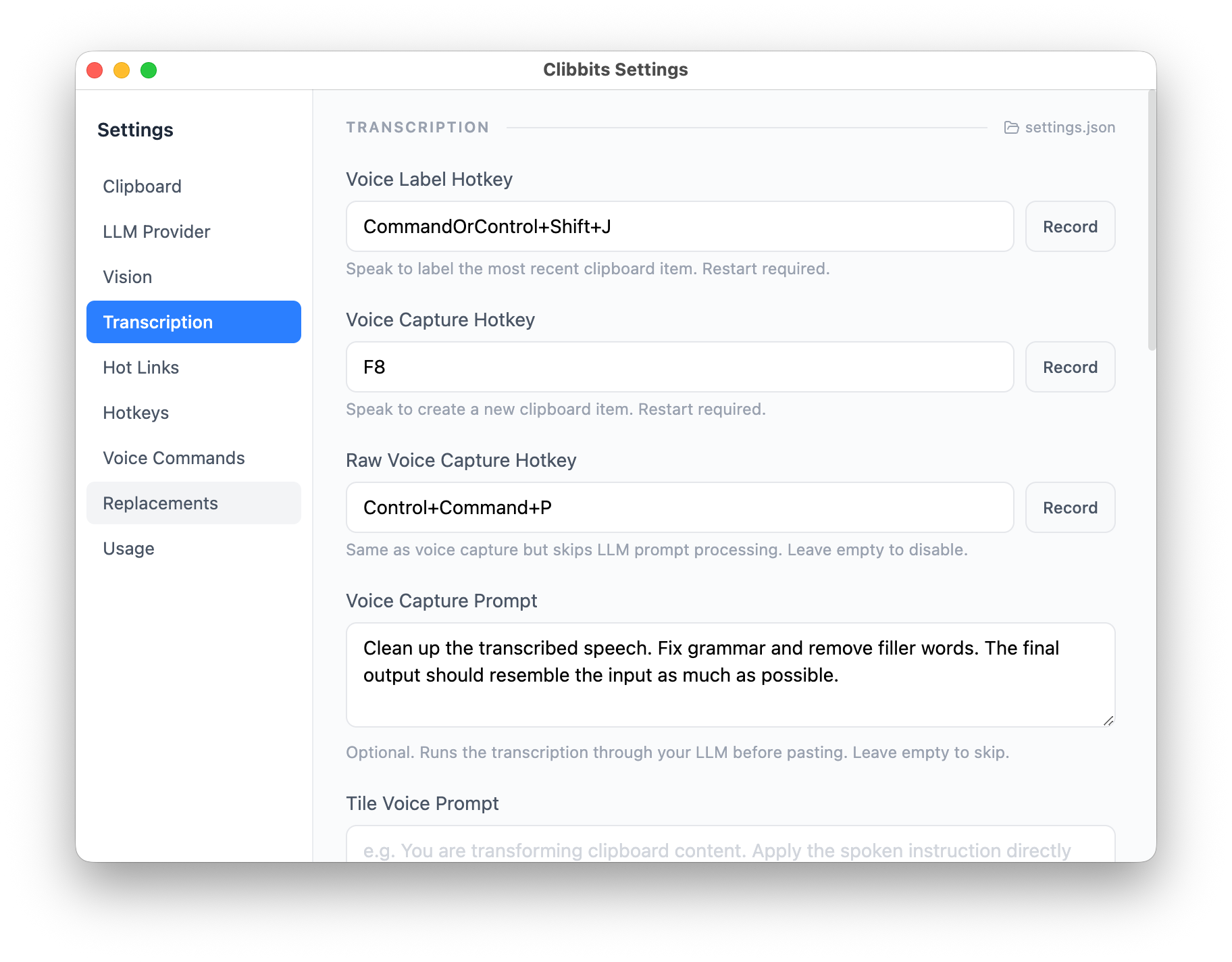
Voice transcription — speak, don't type.

Real-time voice-to-text that lands in your clipboard or directly onto the stack. Dictate notes, describe a bug, or narrate what you're looking at. The transcription is local and fast.

works locally
Voice transcription converting speech to clipboard text

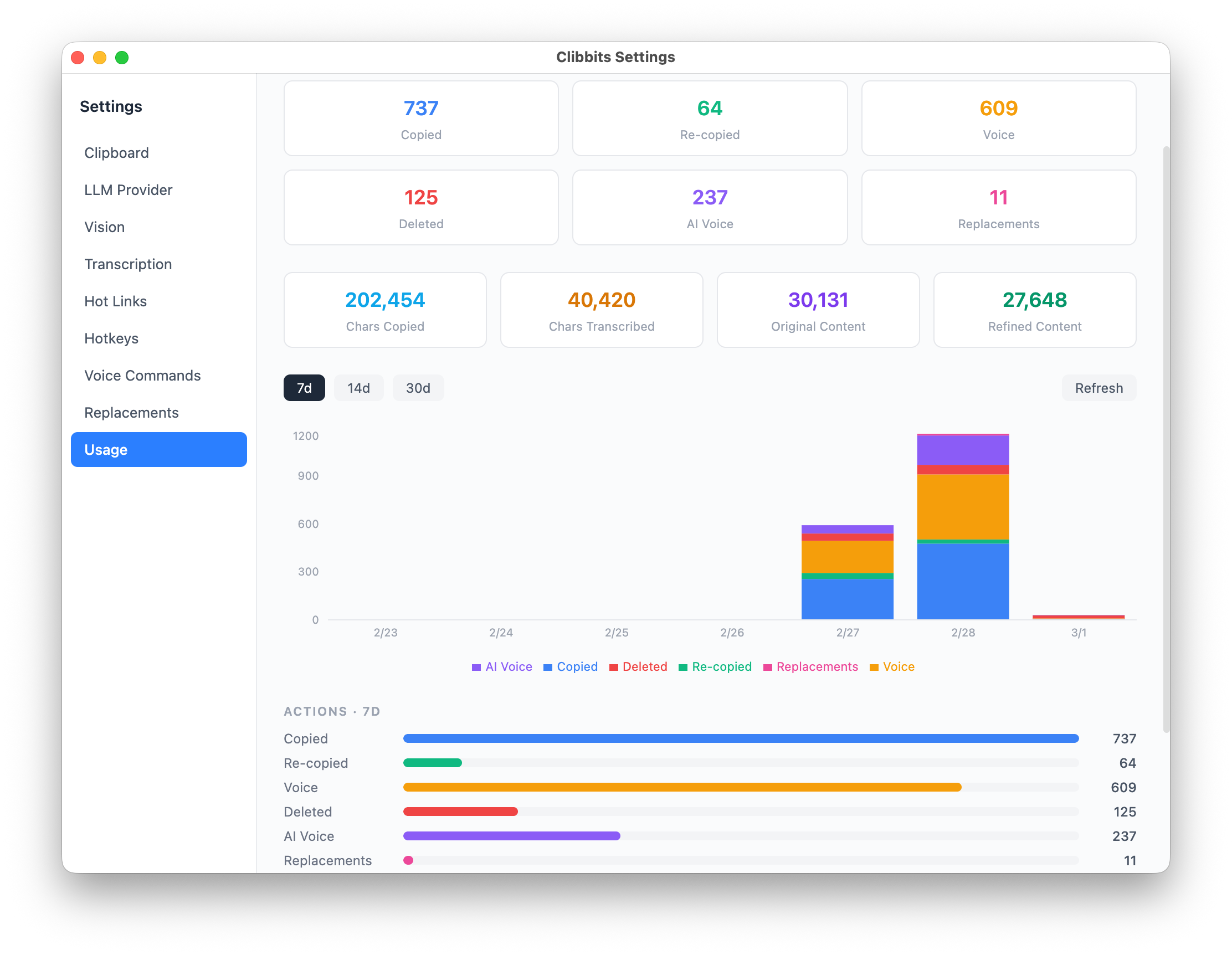
Usage tracking — see how you use your clipboard.

Local-only analytics show copies, saves, transcriptions, and more. A stacked bar chart breaks down daily activity, summary cards show all-time totals, and per-feature breakdowns reveal which tools you lean on most. All data stays on your machine.

works locally
Usage tracking dashboard with charts and summary cards